In short
- Most dead SSDs have a firmware or controller fault, not dead memory.
- Do not update the firmware or secure-erase an SSD you need data from.
- In the lab, the controller is put in a technical mode to rebuild its map.
Typical symptoms
- The SSD is missing from the BIOS or UEFI and from Disk Management.
- It shows up under a strange name such as SATAFIRM S11, with a capacity of a few MB or GB. This is a known symptom on SSDs with Phison controllers: the drive has fallen back to a safe firmware mode.
- The computer shows "Inaccessible Boot Device" or "No bootable device".
- The SSD became read-only, or disconnects under load.
Why it happens
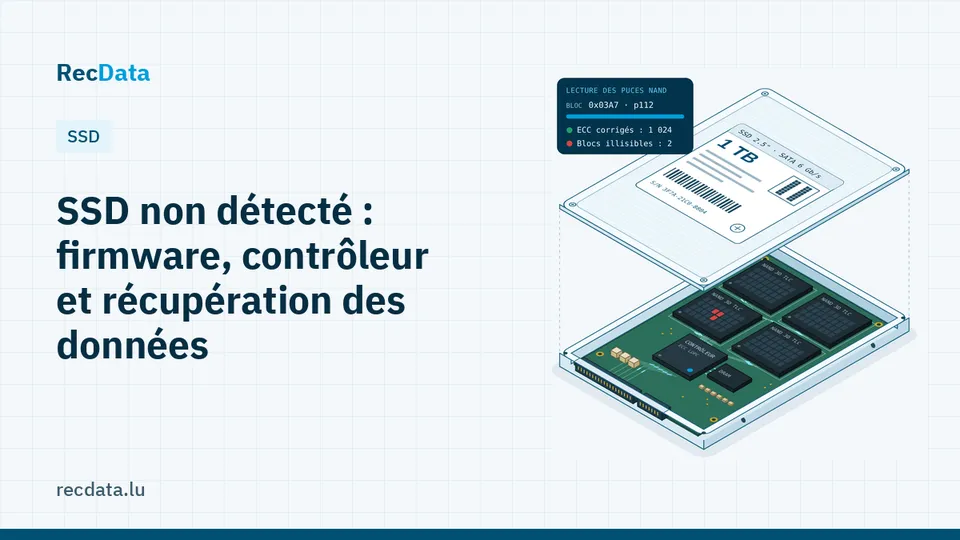
An SSD keeps a translation table that says where each logical block lives in the NAND chips. That table is constantly updated. A power cut at the wrong moment, a firmware bug or worn cells in the area that stores it, and the controller can no longer build its view of the drive: it refuses to start, or starts in a minimal mode.
Less often, the cause is electrical: a short-circuited component, a failed voltage regulator, or damage after liquid.
What not to do
- Do not update the firmware: an update usually resets the translation table.
- Do not run Secure Erase, "Sanitize" or a manufacturer reset tool.
- Do not keep plugging it in to see if it comes back: every start-up gives the controller another chance to "clean up".
- Do not desolder the chips yourself: on most modern SSDs the data is encrypted by the controller, and the chips alone are useless.
How SSD data is recovered
The controller is placed in a technical (factory) mode with specialised equipment, the firmware is loaded into its memory and the translation table is rebuilt from the information stored in the NAND. The drive is then imaged and the file system rebuilt. When the controller is electrically damaged, the board is repaired first.
NVMe and soldered storage
M.2 NVMe drives are handled the same way. On Apple Silicon Macs and many thin laptops, the storage is soldered and tied to the security chip: the computer itself must be repaired. See SSD and NVMe data recovery and Mac, MacBook and iMac data recovery.
Frequently asked questions
Is a dead SSD always recoverable?
Not always, but often after a firmware fault or a power cut. Recovery is much harder after TRIM has erased deleted data or when the encryption key is lost.
Does SATAFIRM S11 mean the data is lost?
No. It means the controller is in a safe mode. The data is usually still in the memory chips.
Official sources and useful links
- Microsoft Support: Official Windows help: Recycle Bin, File History, disk tools.
Is your data important?
Do not try anything that could make the fault worse. The diagnosis is free and you get a fixed quote before any work starts.