In short
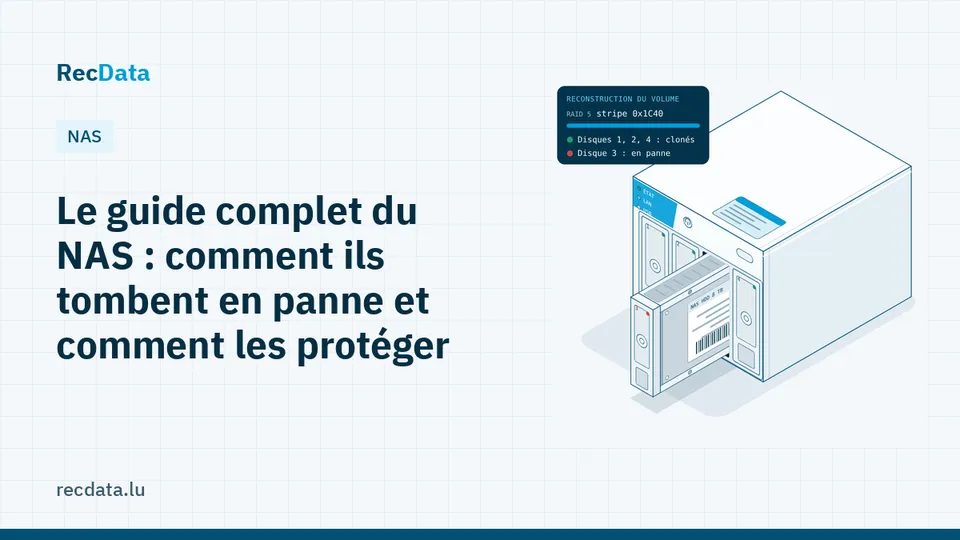
- A NAS is a small Linux server: RAID, volume manager, file system, then the shares.
- Most data loss comes from a second failure or a hasty click during a degraded state.
- UPS, NAS-rated drives, alerts and an offline backup prevent most disasters.
What is inside a NAS
From the bottom up:
- Disks, usually two to eight.
- RAID: Linux mdadm on most brands, or ZFS (QNAP QuTS hero, TrueNAS).
- Volume manager: LVM on Synology SHR and QNAP QTS, which lets pools grow and volumes be thin-provisioned.
- File system: Btrfs, ext4, XFS or ZFS.
- The NAS operating system: DSM, QTS, OS 5 and others, stored on a small partition of every disk or on internal flash.
- Shares, apps and snapshots that you see in the interface.
A failure in any layer can make the shares disappear, even when every file is intact.
The most common failures
- Two disks lost in a RAID 5 or SHR, often during a rebuild.
- Damaged metadata after a power cut: LVM, thin pool, Btrfs trees.
- Failed system update: the NAS asks to be reinstalled.
- Dead enclosure: power supply or motherboard. The disks are fine.
- Ransomware, on NAS units reachable from the internet.
- Human error: wrong disk pulled, pool removed, factory reset.
The mistakes that make recovery harder
- Clicking Repair while another disk shows warnings.
- Reinstalling the system with the option that wipes the disks.
- Moving disks to another NAS "to test".
- Running a Windows tool that offers to initialise the disks.
- Changing the order of the disks.
Brand-specific guides: Synology volume crashed or storage pool degraded and QNAP storage pool inactive: causes and recovery.
Protecting your NAS
Use the right disks
Choose disks designed for NAS use, and avoid SMR (shingled) models in RAID arrays: their very slow rewrites can make them time out during a rebuild and drop out of the array.
Turn on alerts and checks
Email or push notifications for any degraded state, monthly SMART tests and scheduled data scrubbing. A degraded array that nobody notices is the start of most disasters.
Add a UPS and configure shutdown
See Power cuts and surges: protecting your drives and NAS. Power events are a leading cause of corrupted volumes.
Do not expose it to the internet
Close administration ports, disable services you do not use, and use a VPN for remote access. Keep the firmware up to date.
Keep a backup that the NAS cannot delete
Snapshots are excellent against mistakes, but they live on the same disks. Keep at least one copy on another device or in the cloud, and ideally one that is offline or immutable.
When your NAS fails
Switch it off cleanly if it is still running, note the bay of each disk and the exact messages, and contact us. The disks are cloned and every layer is rebuilt from the copies. See NAS data recovery.
Frequently asked questions
Is a NAS with RAID a backup?
No. RAID keeps the NAS running when a disk fails, but it copies deletions, corruption and ransomware instantly. You need a separate backup.
Do you need the NAS enclosure to recover the data?
Usually only the disks, numbered by bay. For some encrypted volumes, the enclosure or the keys may also be needed.
Official sources and useful links
- CIRCL – Computer Incident Response Center Luxembourg: National response team for companies and municipalities: incident reporting and security advice.
Is your data important?
Do not try anything that could make the fault worse. The diagnosis is free and you get a fixed quote before any work starts.